Syntx AI — Complete Review and Guide to Telegram Mini App
Telegram Mini Apps continue to gain popularity, offering users the functionality of full-fledged applications right in the messenger. Today we’ll take a detailed look at Syntx AI — a powerful neural network aggregator positioned as a “Swiss Army knife” for content generation. The project has already attracted the attention of over 680,000 monthly active users (MAU), offering access to top models like MidJourney, GPT-4, Sora, and Google Veo in a unified interface. Let’s find out if this tool is worth your attention and money.
What is Syntx AI?
Syntx AI is a comprehensive mini-app for Telegram created for generating text, images, video, audio, and even music. Its main value is that it unites over 90 artificial intelligence tools in one ecosystem.
Instead of paying subscriptions to a dozen different services (ChatGPT, MidJourney, Runway, etc.), users get access to them through a single token or subscription inside the bot. You can launch the app and test capabilities via the official link.
First Impressions: Interface and Key Feature
On first launch, we’re greeted by a modern, stylish interface in dark tones. Right after language selection, the app demonstrates the main menu, which stands out for its structure.
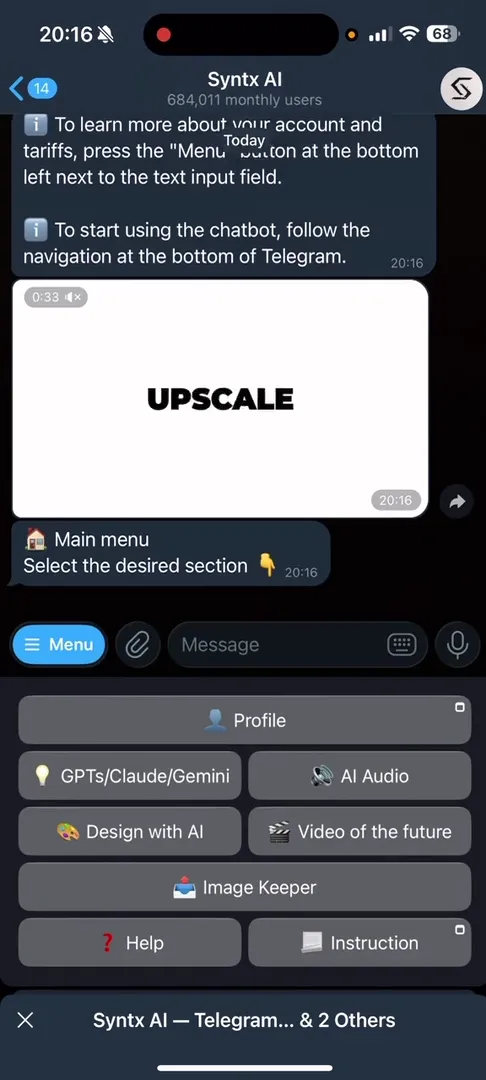
At center stage is convenient categorization. Unlike some competitors where functions may be piled together, directions are clearly highlighted here:
- Video Generation (Sora, Kling, Runway)
- Chat Bots (GPT, Claude, Gemini)
- Audio and Music (Suno, Voice Acting)
- Design and Images
I’d note that Syntx AI’s interface is more structured and rich in tools compared to analogs like AskPlexBot (Purple AI), giving users more creative freedom without leaving Telegram.
How It Works: Step-by-Step Guide
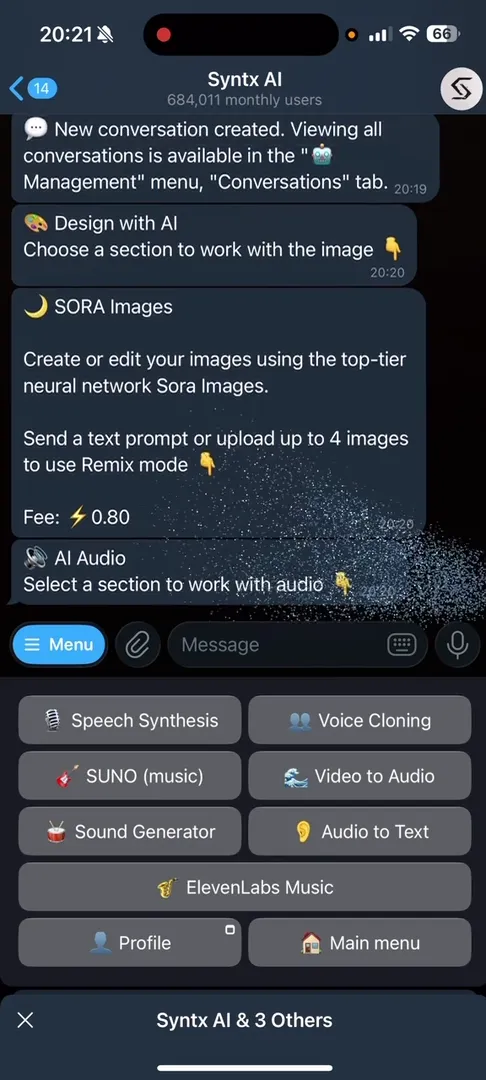
Working in the app is built intuitively. Let’s break down the process using sound effects and video generation as examples.
- Category Selection: In the main menu, press “Menu” and select the section of interest (e.g.,
AI AudioorAI Video). - Tool Selection: Inside the category, select a specific neural network. For audio, this might be
Sound Generator, and for video — the latestGoogle Veomodel. - Prompt Input: Write a text query. For the sound generator, I used a simple “birds singing” prompt.
- Result: The bot processes the request and sends the ready media file directly to chat.
Additional Functionality Overview
Besides basic generation, powerful settings are available in the menu:
- AI Chat / AI Dialogue: Allows activating GPT Editor, uploading images for analysis, and having voice dialogue.
- AI Design: Includes not only from-scratch generation (MidJourney, Sora Images) but also editing (InPaint), face replacement (Face Swap), and upscaling.
- Settings: Here you can select a specific model version (e.g., switch from GPT-3.5 to GPT-4o) and configure system prompts for personalized responses.
Monetization and App Economy
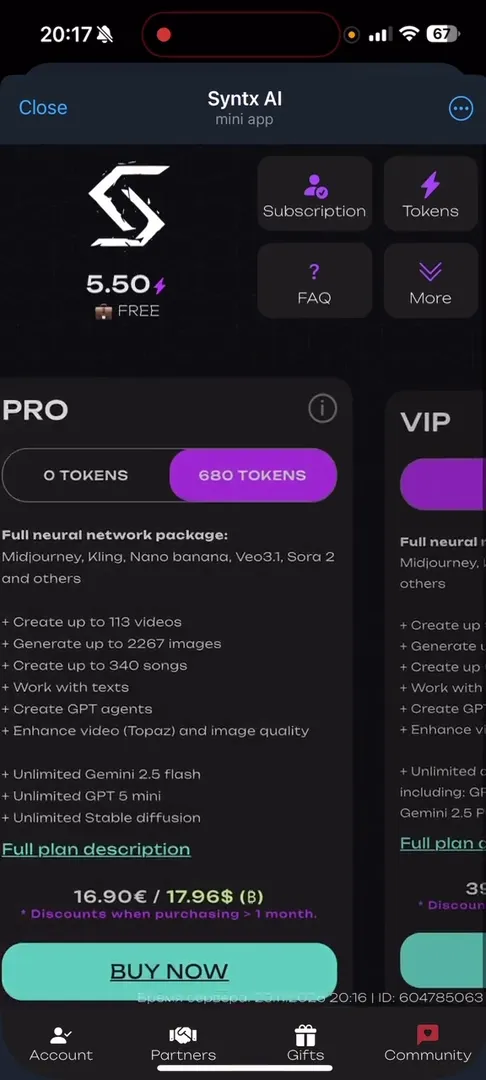
Syntx AI uses a hybrid monetization system. Internal currency — Tokens (marked with lightning ⚡) — circulates inside the app.
- Free: At start, users receive 5 welcome tokens. This is enough for several test requests (e.g., 5 demo requests to language models or 3 Stable Diffusion generations).
- Subscriptions: For regular use, a subscription plan must be purchased. Options range from
Basic(€9) to€119) and corporate rates. The more expensive the plan, the more tokens and higher limits for “heavy” content generation (video, music).Ultra Elite(
Important Notice: This article is for informational purposes only and is not financial advice. Any operations with digital assets or investments in paid features carry high risks. Do your own research (DYOR) before making any decisions.
The app also has a Partner section with a referral program allowing token earning for friend invitations, and a Withdraw button hinting at withdrawal capability for active partners.
Community, Support, and Trust
The project can boast an impressive social base. The “Community” section in the app leads to a structured hub with various chats.
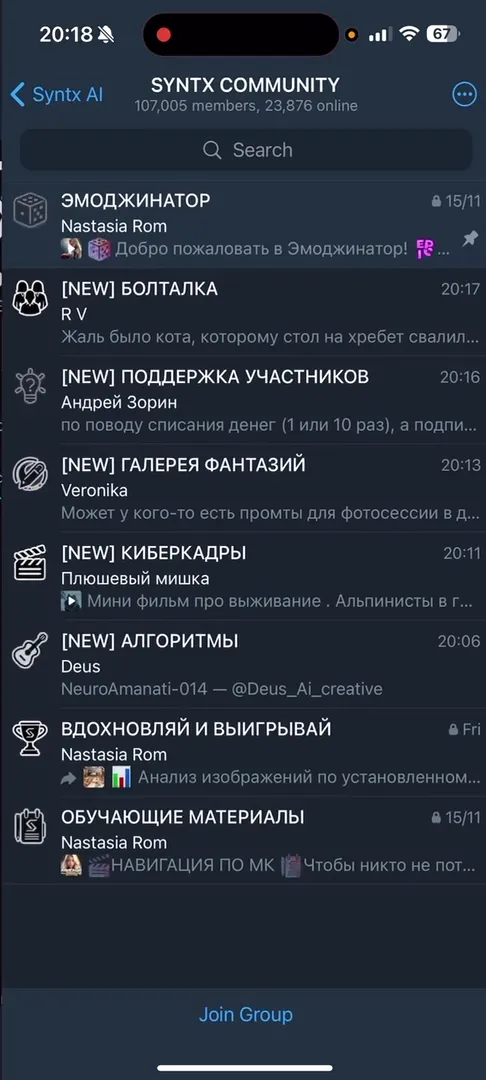
- Scale: Over 213,000 people subscribe to the main Syntx Family channel.
- Structure: The Syntx AI Community is divided into topics: “Emojinator,” “Chat,” “Fantasy Gallery” (for work examples), “Tech Support.”
- Education: The app has a “Knowledge Base” and Syntx Help with instructions, increasing service trust and helping beginners get up to speed faster.
Pros and Cons
Advantages
- Huge selection: Over 90 neural networks in one window (MidJourney, GPT, Claude, Sora, Suno, etc.).
- Convenience: No need to use VPN or register with each service separately.
- Education: Built-in guides and active Russian-speaking community.
- Multimedia: Supports video and sound generation, not just text and images.
Disadvantages
- Free version limits: 5 tokens are spent very quickly, subscription needed for full work.
- Tariff complexity: Multiple subscription levels (VIP, Elite, Ultra) can confuse new users when choosing.
Conclusion: Who Is Syntx AI For?
Syntx AI is an excellent choice for those who want to have a powerful neural network arsenal at hand without the hassle of registering and paying for foreign services. The app is suitable for both content creators (SMM, designers, video editors) and regular users wanting to experiment with AI.
Despite paid subscriptions, the convenience and quality of tool integration justify attention to this Mini App. We recommend starting with free tokens to evaluate generation speed and quality.