xRocket — Complete Review and Guide to Telegram Mini App
Telegram Mini Apps continue to gain popularity, offering users the functionality of full-fledged applications right in the messenger. Today we’ll take a detailed look at xRocket — a powerful hybrid of crypto wallet and exchange integrated directly into Telegram. The project has already attracted 1.3 million monthly active users (MAU), and we’ll find out the secret of its success, how to earn here, and what distinguishes it from regular wallets.
What is xRocket?
xRocket is a multifunctional wallet bot for Telegram created for storing, receiving, sending, and trading cryptocurrency. Unlike simple non-custodial wallets, xRocket combines centralized exchange (CEX) functions and a convenient P2P transaction tool.
The app solves beginners’ main problem: difficulty entering crypto. No need to download third-party apps here — all functionality is available in a couple of clicks. You can launch it and evaluate capabilities via the official link.
First Impressions: Interface and Key Feature
On first launch, we’re greeted by a stylish dark interface that isn’t overloaded with unnecessary details. At center stage is the total balance in dollar equivalent and list of available assets (XROCK, USDT, TON, BTC, and others). Navigation is intuitive: main actions “Withdraw,” “Deposit,” and “Exchange” are prominently placed.
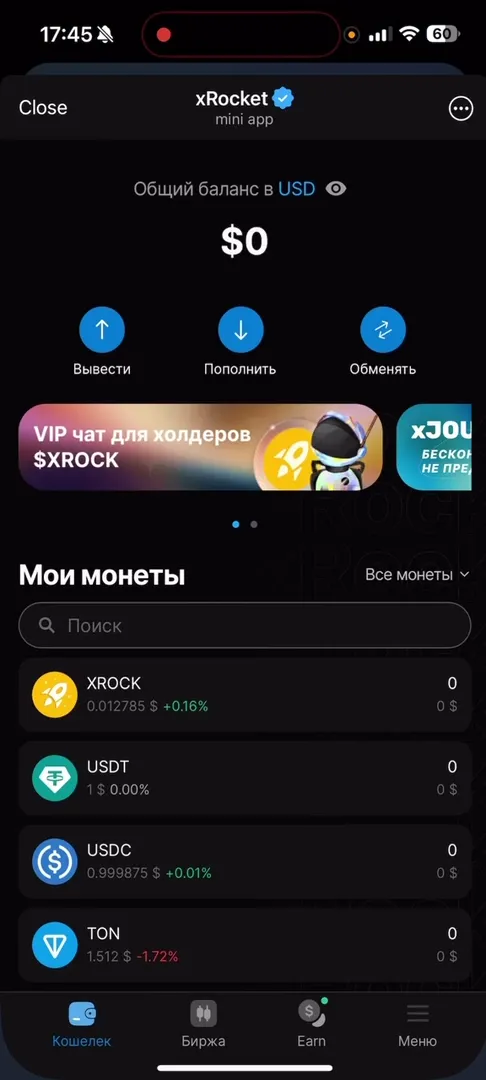
The main feature is instant functionality access. Unlike competitor Here Wallet, where preliminary registration and account creation are often required to start, xRocket allows immediately viewing the interface, exchange rates, and available tools. You’re already “in the system” right after pressing the Start button.
How It Works: Step-by-Step Guide
The app offers a wide range of capabilities, from simple storage to full-fledged trading. Let’s look at how to use the main function — Exchange.
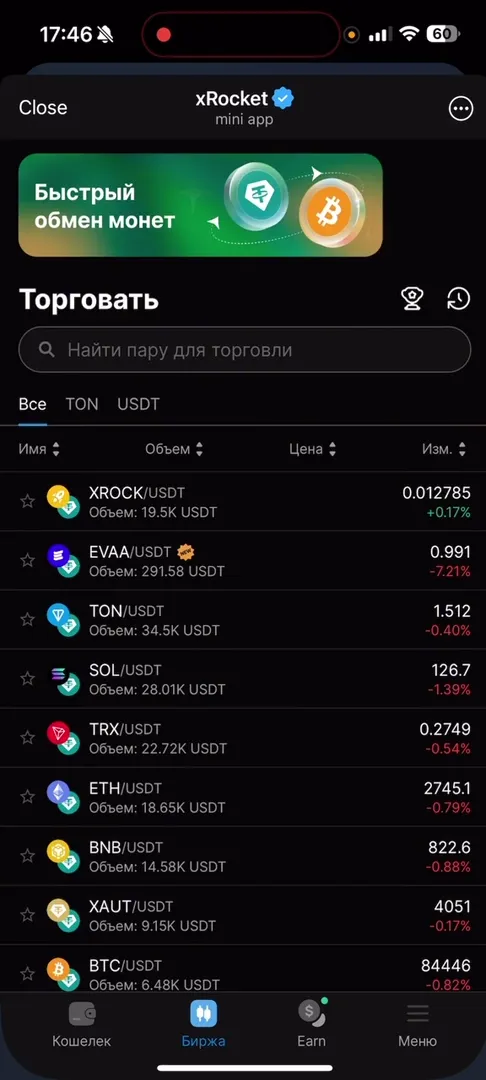
- In the bottom menu or on the main screen, select the “Exchange” (or “Trade”) section.
- A list of trading pairs will open. You can use filters by name, volume, or price.
- Select the pair of interest, for example,
TON/USDTor native tokenXROCK/USDT. - In the opened terminal window, you can place limit or market orders for buying/selling.
Additional Functionality Overview
The app is rich with useful tools accessible through the main menu:
- P2P Market: Allows buying and selling cryptocurrency for fiat money (rubles, dollars, etc.) directly from other users.
- Cheques (Rocket Checks): Unique social mechanic. You can create “cheques” with cryptocurrency and send them to chats. Anyone who clicks the cheque first gets the money.
- xRocket API: For developers wanting to integrate payments into their services.
- Invoices: Convenient invoicing tool (billing other people).
Monetization and App Economy
xRocket has its own internal economy built around the $XROCK token and loyalty program.
- Privileges: Holding XROCK token or special NFTs gives access to closed VIP chat and, more importantly, reduces trading fees.
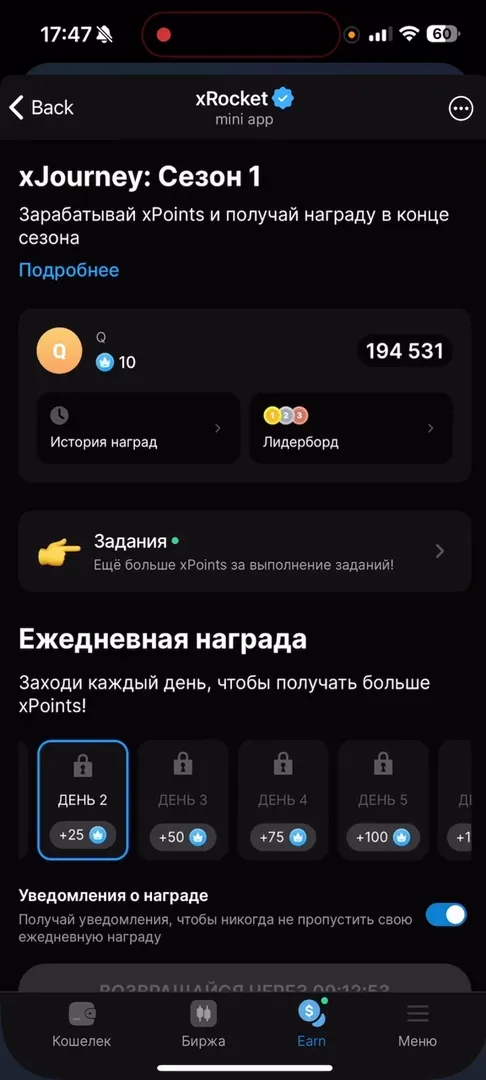
- xJourney: This is a gamification and earning system. Users can complete daily tasks (e.g., channel subscriptions or daily login) and receive xPoints for it.
- Referral System: You get 10% of xPoints earned by your friends and 2% from friends of friends.
Important Notice: This article is for informational purposes only and is not financial advice. Any operations with digital assets or investments in paid features carry high risks. Do your own research (DYOR) before making any decisions.
Community, Support, and Trust
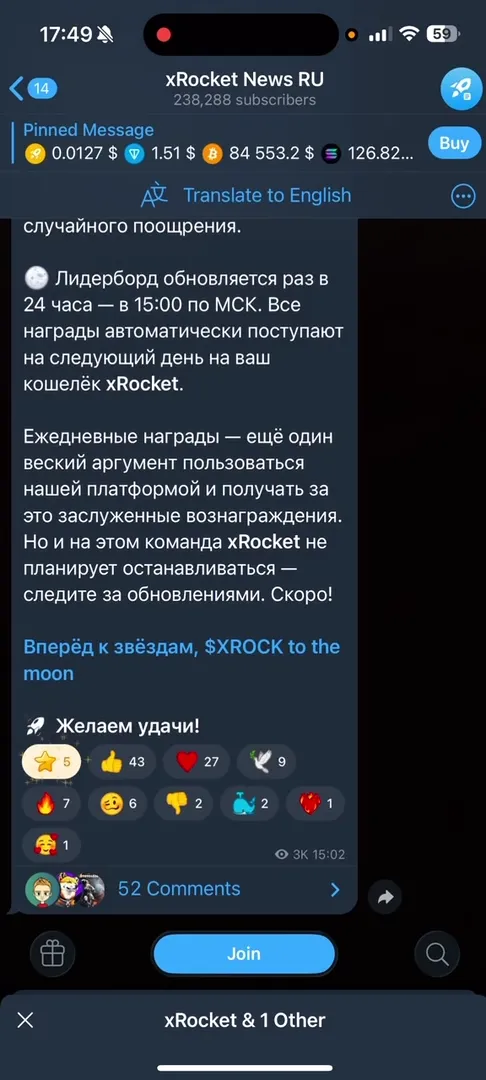
The project has a huge and active user base. Over 238,000 people subscribe to the official news channel (@xrocketnews), indicating high audience trust.
The ecosystem also includes:
- Russian-language chat @xrocketchatru for user communication.
- Cheques channel @ton_rocket_drops where you can catch free cryptocurrency.
- Listings channel @xrocketlistings.
Having transparent documentation (AML policy, Terms of Use) available in settings and an active support bot @TonRocketSupportBot adds reliability points to the project.
Pros and Cons
Advantages
- Low entry barrier: No app installation required, works inside Telegram.
- Instant access: Can view rates and functionality without lengthy registration.
- Ecosystem: Built-in exchange, P2P market, and cheque system.
- Earning: Daily rewards and quests in xJourney.
- Reliability: Large community and long history in TON market.
Disadvantages
- Custodial: Since it’s a wallet bot, private keys are stored on the service side (unlike non-custodial solutions like Bitpapa or Tonkeeper).
- Verification: Working with fiat and large volumes may require KYC (according to AML policy).
Conclusion: Who Is xRocket For?
xRocket is the ideal solution for those who live in Telegram and want to have a powerful financial tool at hand. It’s great for both beginners, thanks to simple interface and learning system, and active traders who value transaction speed and P2P trading. The cheque system makes it indispensable for channel admins wanting to reward their audience.
If you’re looking for a universal crypto-combine in a messenger — xRocket definitely deserves your attention.