Crypto Bot — Complete Review and Guide to Telegram Mini App
Telegram Mini Apps continue to gain popularity, offering users the functionality of full-fledged applications right in the messenger. Today we’ll take a detailed look at Crypto Bot — one of the most popular custodial wallets and P2P platforms in the Telegram ecosystem. The project has already attracted the attention of over 2.2 million monthly active users (MAU), and we’ll find out the secret of such success and how safe it is to use.
What is Crypto Bot?
Crypto Bot is a comprehensive mini-app for Telegram designed to simplify cryptocurrency operations. It allows users to buy, sell, store, send, and exchange digital assets without the need to register on external exchanges or install separate programs.
The app’s main value is messenger integration: you can send cryptocurrency to someone just by knowing their username, or pay for a channel subscription in a couple of clicks. You can launch the wallet and explore the functionality via the official link.
First Impressions: Interface and Key Feature
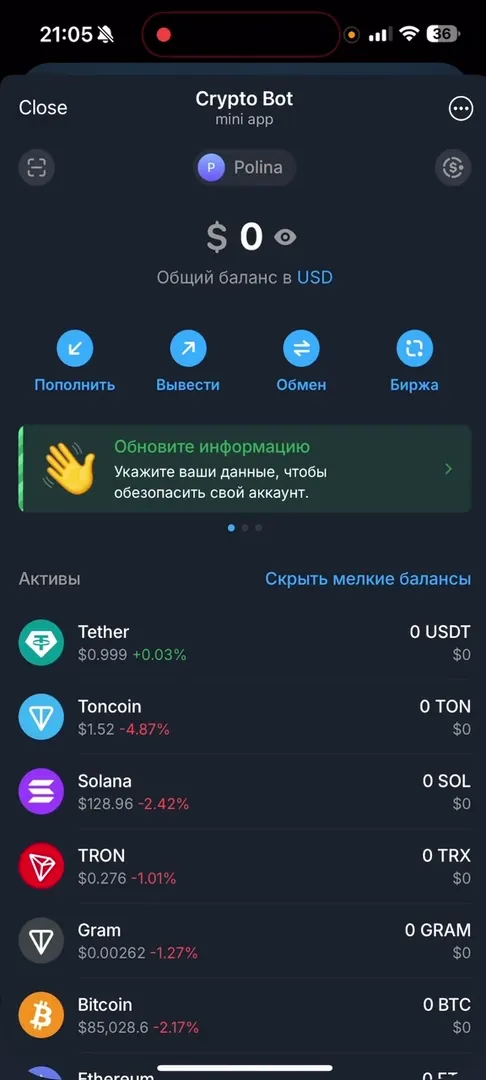
On first launch, we’re greeted by an interface that can be characterized as “dry and to the point.” The main screen (Dashboard) immediately displays the total balance in dollars and a list of available assets (Tether, Toncoin, Bitcoin, Solana, and others).
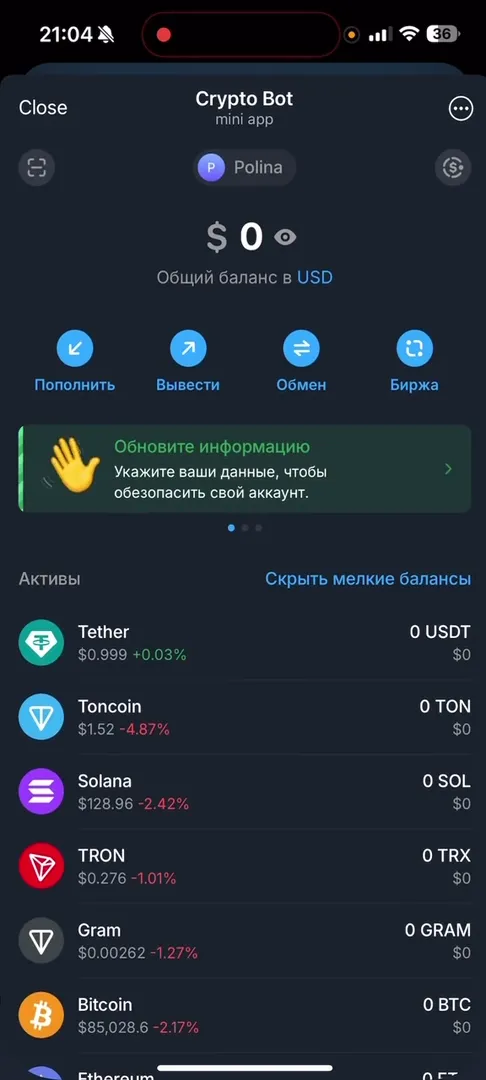
I noticed that the app isn’t visually overloaded with unnecessary information, which is a huge plus for beginners. The interface is intuitive: key buttons “Deposit,” “Withdraw,” “Exchange,” and “Exchange” are prominently placed.
This favorably distinguishes Crypto Bot from some competitors. For example, when compared to AIVEX, the latter’s main screen looks more cluttered with complex charts and data, which can scare off inexperienced users. At the same time, functionally Crypto Bot resembles the popular Bitpapa, but offers a more native user experience thanks to a full-fledged Web App interface (Mini App), rather than just text bot commands.
How It Works: Step-by-Step Guide
Crypto Bot combines wallet, exchanger, and full-fledged exchange functions. Let’s look at the main use case — buying and trading.
How to buy or exchange cryptocurrency:
- Deposit: On the main screen, press “Deposit” and select the desired cryptocurrency (e.g., USDT or TON) to get the deposit address.
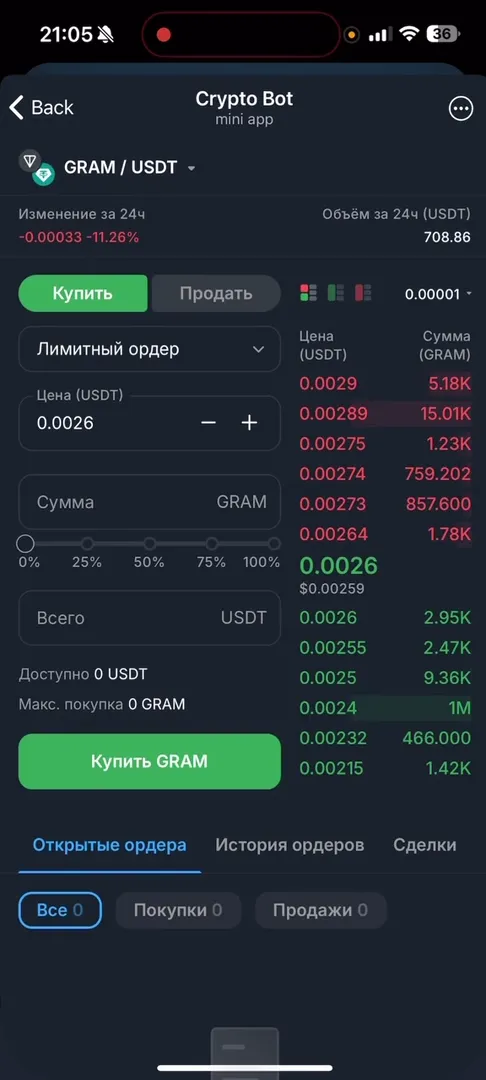
- Exchange: For trading, go to the “Exchange” section. Here you can place a limit order for buying or selling.
- Creating an order: Select a trading pair (e.g., GRAM/USDT), specify the desired price and purchase amount.
- Execution: After creation, the order enters the order book. Once a counter offer appears, the trade executes automatically.
Additional Functionality Overview
The app implements many functions accessible through the bottom menu or settings:
- P2P Market: Allows buying cryptocurrency with a bank card directly from other users. The bot acts as a transaction guarantor.
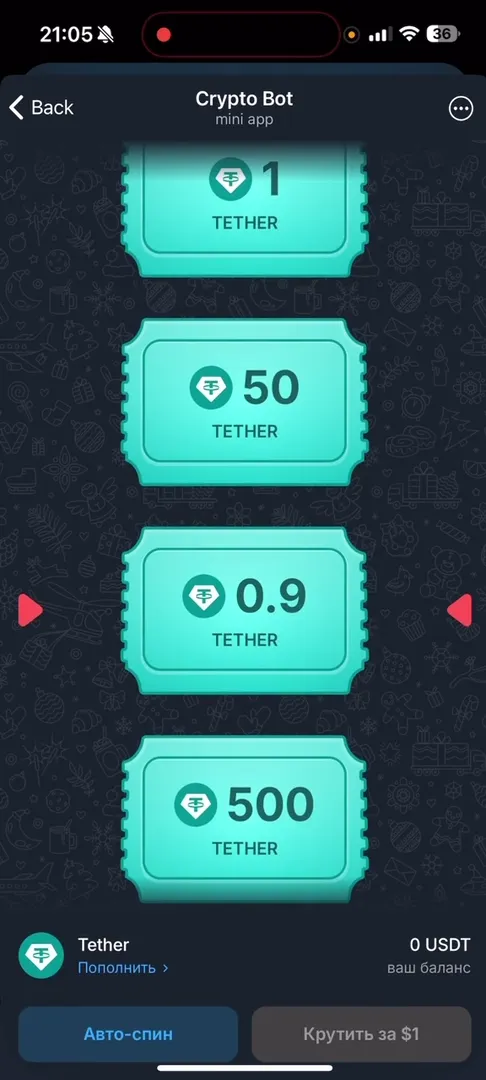
- Raffles (Auto-spin): A gamified element where you can “spin the wheel” for internal currency or dollars and win prizes.
- Cheques: A unique Crypto Bot feature. Allows creating “cheques” with cryptocurrency and sending them to chats or channels. Anyone who clicks the cheque first receives the money in their wallet.
- Security settings: Ability to set a PIN code for entry, which is critical for a financial application.
Monetization and App Economy
Crypto Bot earns from fees. The app charges a small percentage for exchange and P2P market trades, as well as for withdrawing funds to external wallets. Internal transfers between Telegram users are typically free (via “Cheques” or direct transfers).
The app also features paid services and contests. For example, there’s a developer contest section with a $25,000 prize pool, indicating the platform’s serious financial capabilities and desire to develop the ecosystem.
Important Notice: This article is for informational purposes only and is not financial advice. Any operations with digital assets or investments in paid features carry high risks. Cryptocurrency wallets in Telegram are custodial — meaning private keys are stored by developers. Do your own research (DYOR) before making any decisions.
Community, Support, and Trust
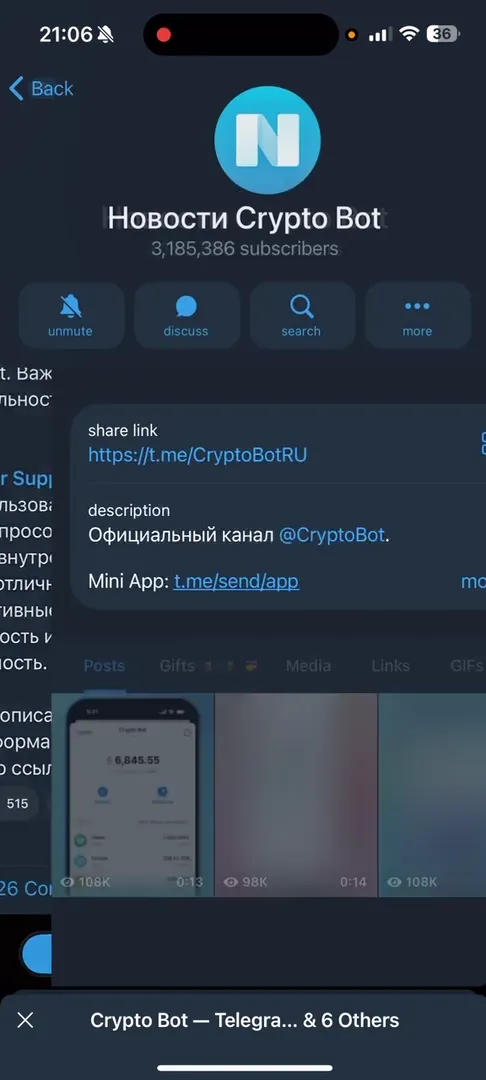
The project’s scale is impressive. The official news channel Crypto Bot News has over 3 million subscribers (3,185,386 at the time of review). This is a colossal figure for a crypto project.
Community resources:
- Russian chat: Crypto Bot Russian — over 24,000 members, active discussions.
- Educational channel: Crypto Bot Tips — useful usage tips.
- Twitter (X): CryptoBotHQ — for international audience.
The presence of a dedicated support bot (Crypto Support Bot) and extensive knowledge base (FAQ) increases trust in the service. The project looks alive, regularly updated, and maintains feedback with users.
Pros and Cons
Advantages
- Accessibility: No need to download third-party apps, everything works inside Telegram.
- UX/UI: Clean, uncluttered interface understandable for beginners.
- Speed: Instant transfers within Telegram via cheques.
- Liquidity: Huge user base ensures quick order execution on exchange and P2P.
- Infrastructure: API availability, cheques, subscriptions, and business tools.
Disadvantages
- Custodial: You don’t own private keys. If the bot is blocked or hacked, funds may be lost.
- Fees: There are withdrawal and trading fees (though competitive).
- Limited trading functionality: No complex instruments (futures, margin) like major CEX exchanges, spot only.
Conclusion: Who Is Crypto Bot For?
Crypto Bot is the ideal solution for those who want to quickly buy cryptocurrency, pay for Telegram services, or send donations without diving into blockchain complexities. It’s an excellent “gateway” to the crypto world for beginners and a powerful tool for channel administrators (thanks to cheques and subscriptions).
However, for storing large amounts, we recommend using non-custodial (“cold”) wallets, and treat Crypto Bot as a convenient “hot” wallet for operational expenses.
Try the app functionality yourself and evaluate its convenience: Launch Crypto Bot.